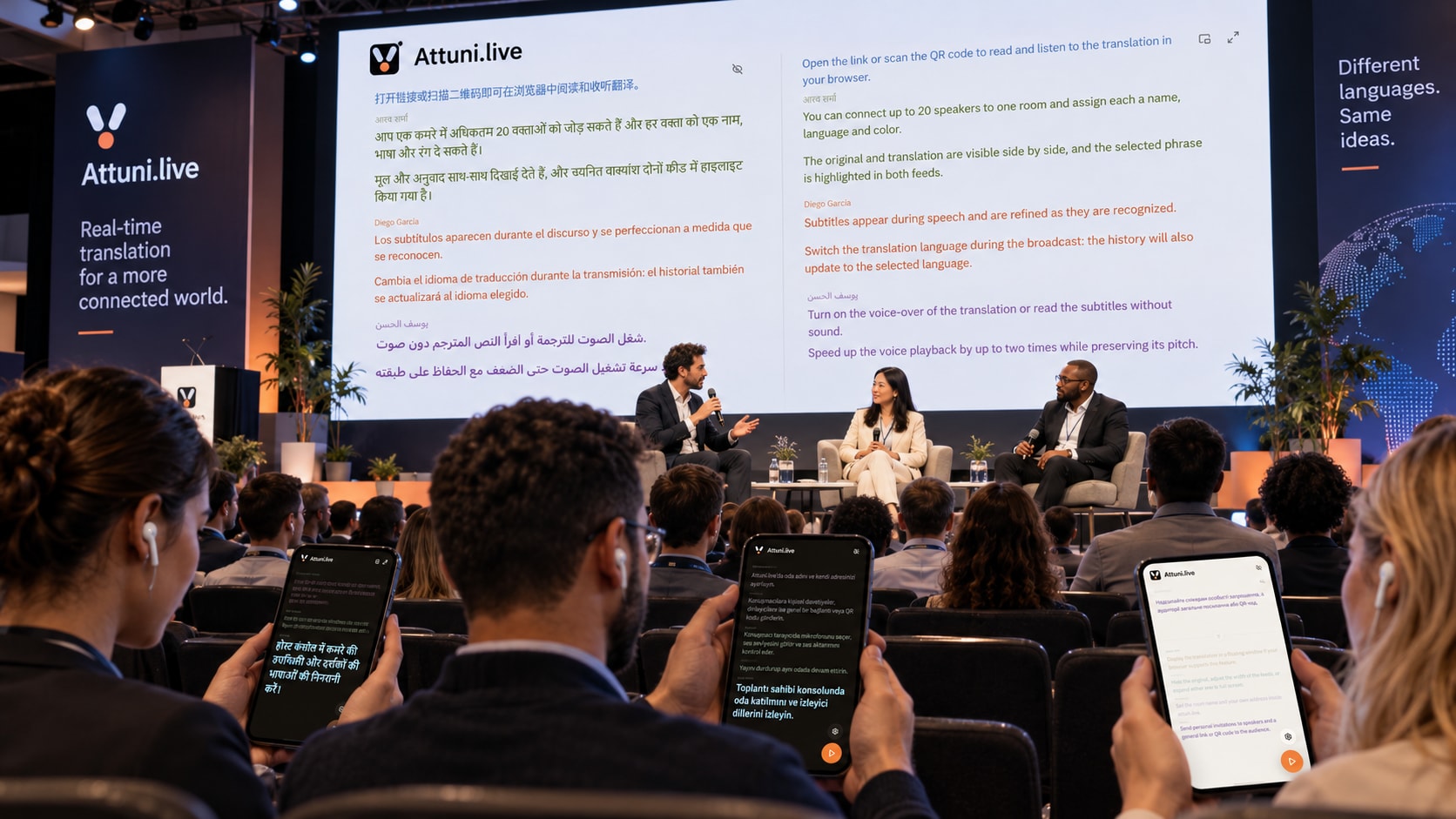
A shared stage.
A personal translation.
- Speak from the stage
- Listeners join with a QR
- Read or listen to the translation
Live translation. In your browser.
Speak your language. Your audience reads captions and hears a translation — with a link or QR code.
Explore for free after sign-up. Your available time is shown in your account.
 Attuni.liveDemonstration
Attuni translates live speech into text and reads the translation in the listener's language.
Los subtítulos aparecen durante el discurso y se perfeccionan a medida que se reconocen.
Attuni traduce el habla en vivo a texto y lee la traducción en el idioma del oyente.
Los subtítulos aparecen durante el discurso y se perfeccionan a medida que se reconocen.
Prepared audio · press to listen
For conversations in every setting
In the room and online
Live translation, on stage and on a video call.
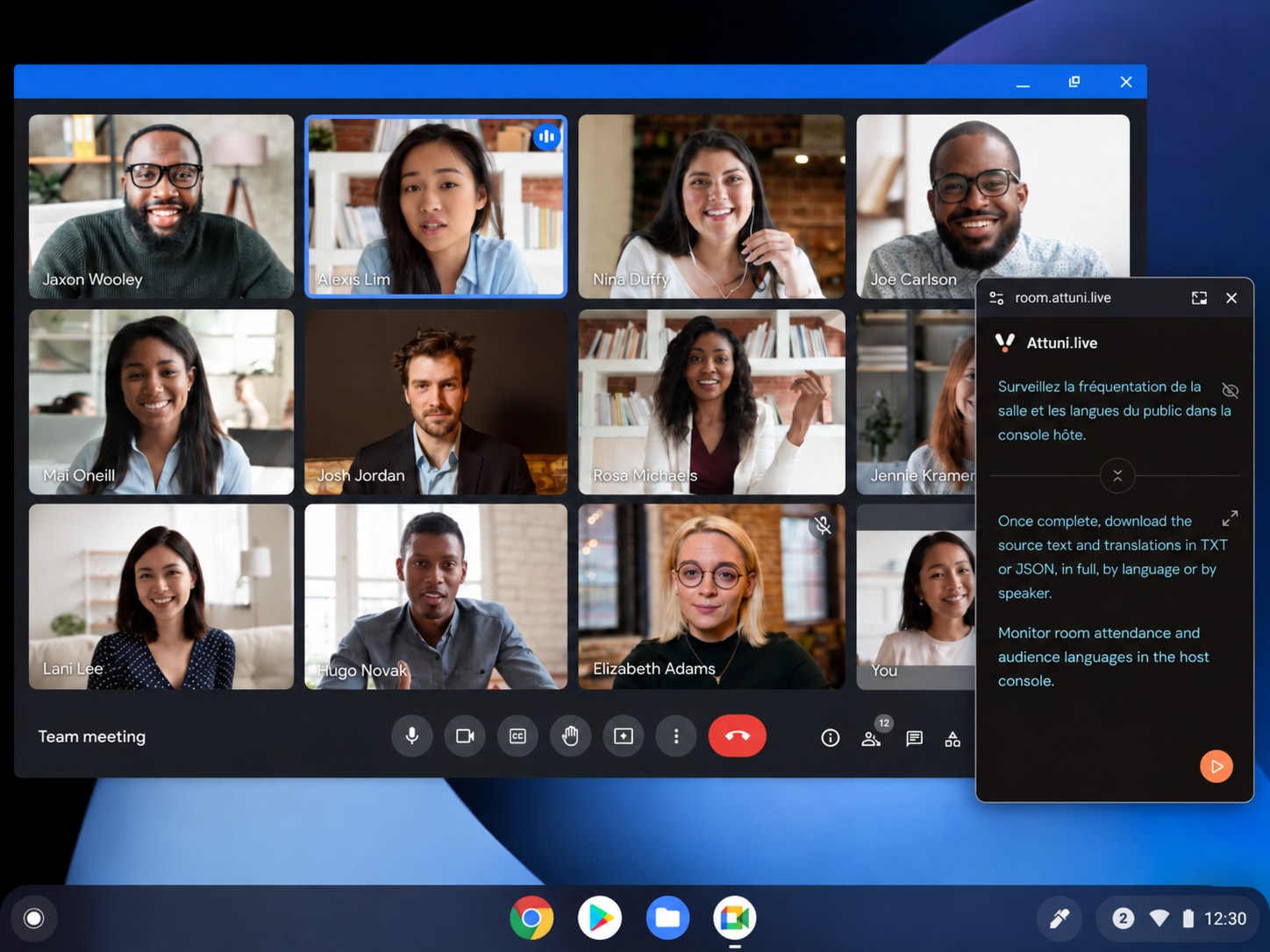
Alongside your everyday tools
 Teams
Teams Zoom
Zoom Google Meet
 Slack
Slack Discord
 YouTube
Open Attuni alongside your call.
01 / Speech recognition
Captions appear as the conversation unfolds, refining until the phrase is complete.
ASR providers offer domain context, name hints and term lists. These are not connected to Attuni’s user interface yet. Automated diarization does not replace setting up separate speakers.
The next idea can come from anywhere. Let’s hear
02 / Text translation
One turn, different translations. Listeners can switch language during the session and keep the original alongside.
Speech input and audio output have separate coverage from the text translation catalogue.
Languages and regional variants come from the current product catalogue. The organizer chooses the targets for each room.
Available: translation receives previous final turns from the same speaker as context. Custom glossaries, formality and your own instructions require integration.
Available Previous-turn context · Requires integration Custom glossary
03 / Spoken translation
Turn on translated audio, choose a comfortable speed and follow the highlighted phrase. Sound when you want it.
Voices are configured on the server; listeners see a selector only when several compatible voices are available. Cloning, emotions, pronunciation dictionaries and creating your own voice are not connected to Console.
Attuni translates live speech into text and reads the translation in the listener's language.
Prepared audio · press to listen
Your room. Your controls.
Speakers, languages and a public link, together in one interface.
forum.attuni.live/annual-meetingDemonstrationConsole interface reproduction · account limits apply

https://room.attuni.live/This QR opens the public demo room.
Audio input available to the browser
In an active room, each speaker opens an invitation, selects an audio input and manually turns on their microphone. The organizer controls start, pause and finish.
Try for free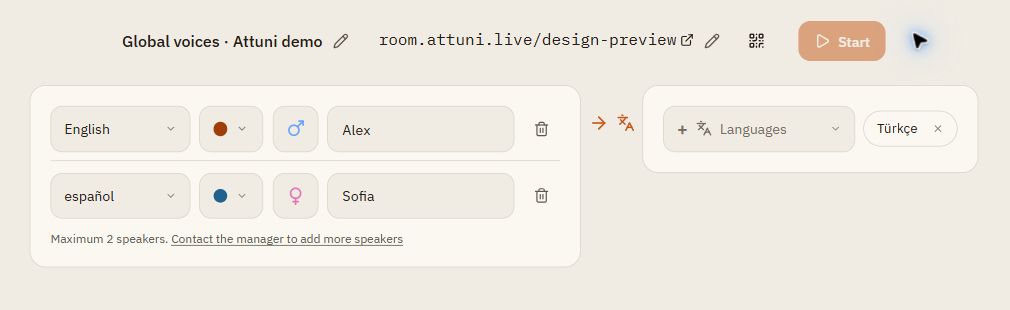
Scan to open the demo
Attuni.live DemonstrationOriginal
Welcome to our conversation.
Translation · EN
Welcome to our conversation.
The listener’s experience
No app to install. Pick a language and make the screen work for you.
Audience settings example. A floating window requires Document Picture-in-Picture browser support.
Explore the demoWhere understanding matters
One browser-based workflow for different kinds of conversations.
Put the QR on screen. Each listener picks a language on their own phone.
Share the translation link with your invitation and offer both text and audio.
Set each speaker’s language and follow the original alongside the translation.
Help participants read explanations and revisit earlier turns.
Route an audio input to the browser and share a translation link with viewers.
One room connects people in the venue with those joining remotely.
Open Attuni alongside your usual service. Speakers select a browser-accessible audio input; system audio needs separate routing. Native integrations, meeting bots and automatic call capture are not claimed.
After the conversation
Keep originals and translations. Revisit room sessions and see how your audience connected.
Attuni translates live speech into text and reads the translation in the listener's language.
Translation · ENAttuni translates live speech into text and reads the translation in the listener's language.
JSON and TXT after the session ends and data is saved. Export everything, one language or one speaker. SRT/VTT are not available yet.
Illustrative values. Console also covers devices, browsers and audio usage.
Attuni for your brand
Today: your event name, address and speaker colors. Tailored branding is shown as a concept to discuss.
Attuni.liveInternational forum
forum.attuni.live/annual-meeting
Ideas that bring us together.
Example: translate.company.example
Event title, speaker names and colors; your own subdomain and path within attuni.live.
Your logo and brand palette are a concept. An arbitrary domain requires separate implementation; Console has no white-label editor.
Around the conversation
Start, pause and resume your room. Follow its state and review previous sessions.
Console and Speaker have 10 interface languages, including Arabic with right-to-left layout.
The project has an API and OpenAPI. A self-hosted installation or a custom workflow requires integration.
Attuni assigns the current pipeline. Console does not offer arbitrary provider selection.
| Capability | Status |
|---|---|
| Custom ASR context and glossaries | Requires integration |
| Custom voices, emotions and cloning | Requires integration |
| Files, AI summaries and meeting assistant | Requires integration |
Retained adapters for Deepgram, Google Translation, Azure Translator, ElevenLabs, Cartesia, Gemini TTS and OpenAI do not make their features available to users.
These are possible development directions, not active services or delivery commitments. A model’s capabilities and provider terms need checking before integration.
Get to know Attuni in the demo, or create a room of your own.
Questions and answers
How to get started, and what to expect from the current version.
Contact via TelegramOrganizers, speakers and listeners use a browser. Microphone access needs browser permission. Continuous capture or playback with a locked mobile screen is not guaranteed.
Open the app, name your room, add speakers and choose translation languages. Send speakers their invitations, and listeners the public link or QR. Available time and limits are shown in your account.
The current catalogue has 126 text translation targets. Speech recognition and audio output have separate lists and restrictions. Each speaker has an explicitly selected source language; the organizer chooses the room’s targets.
Yes. Audience shows the original and translation and lets you turn on spoken translation. Playback speeds are 1×, 1.25×, 1.5× and 2×. Available voices depend on the room configuration. This is synthesized translation, not a copy of the speaker’s voice.
Attuni opens alongside the service in your browser. The speaker selects an audio input; capturing system audio may need separate routing. Native integrations, meeting bots and a virtual microphone are not part of this workflow.
Yes. Each has an invitation, name, color and explicitly selected source language. The organizer manages speakers; the number available depends on the account.
Listeners can revisit earlier turns. Owners see room sessions and export saved originals and translations as JSON or TXT after a session ends. SRT/VTT are not available yet.
The public demo needs no registration and uses prepared turns and audio. To use your own room, register in the app: your current trial balance and limits are displayed in the account. The balance belongs to the account, not each room.
Event titles, subdomains and paths within attuni.live, speaker names and colors are available. Your own logo and arbitrary palette are shown as a concept. A custom domain requires infrastructure work; there is no self-service Console flow.
Translation uses previous final turns from the same speaker. Custom ASR hints, glossaries, style and pronunciation dictionaries require integration and are not available Console settings.
It is available when the browser supports Document Picture-in-Picture. Support varies; check for the corresponding Audience or Speaker control. The regular translation screen works without it.
Final originals and translations are saved for history and export. Raw analytics details have a 30-day retention after completion; anonymized daily aggregates remain. This is not a promise of complete deletion, certification or a particular processing jurisdiction. Discuss your requirements before sharing sensitive data.